
Sphoxie1.2 - App Store
You'll be able to see results in few seconds.
Publisher Description
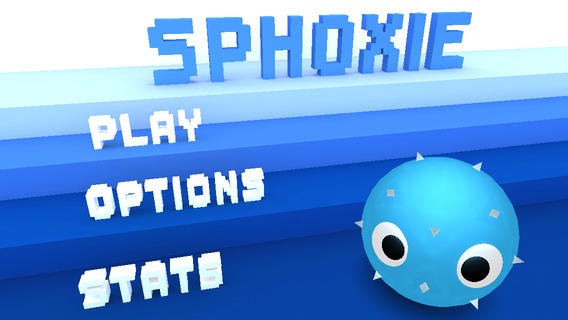
"I m finding Sphoxie to be quite challenging, but in a good way. It makes you think before jumping off a platform, and you have to think of ways to avoid being hugged to your doom. If 3-D platformers are your thing, then you don t want to miss Sphoxie." - appadvice.com
"The first thing that caught my attention were the graphics, which mix 3-D with the pixelated look. The game is powered by the Unreal Engine, so the 3-D is actually done very well. Everything from our spiky friend to the colorful and vibrant environments, to the cubed enemies, will look great on your Retina iDevices." 4/5 appslooking.com
In Sphoxie you must help our little spikey blue spherical dude get back home after a portal sucked him to a strange cube world.
Many dangers and obstacles await, can you handle it?
Features
- 24 fun and diverse levels
- 3 Challenging boss fights
- 3 Unique worlds
- Simple yet deep gameplay
- Climb on walls
- Beautiful visuals powered by the Unreal Engine
- Made by just one person
- Gamecenter Achievements and Leaderboards
- Sketch Mode
- Play your own music
- Customization options for your character
- A lot of unlockables
- Race mode
- The entire game can be played with 1 finger
- iPhone 5 ready
- Music by Anitek
- And lots more!
Plays well on iPhone (4 and up) but plays Best on iPad (2 and up)
Requires iOS 4.0 or later. Compatible with iPhone 3GS, iPhone 4, iPhone 4s, iPhone 5, iPhone 5c, iPhone 5s, iPhone 6, iPhone 6 Plus, iPhone 6s, iPhone 6s Plus, iPhone SE, iPhone 7, iPhone 7 Plus, iPad, iPod touch (3rd generation), iPod touch (4th generation), iPod touch (5th generation), and iPod touch (6th generation).
About Sphoxie
The company that develops Sphoxie is Olivier Archer. The latest version released by its developer is 1.2.
To install Sphoxie on your iOS device, just click the green Continue To App button above to start the installation process. The app is listed on our website since 2012-11-21 and was downloaded 0 times. We have already checked if the download link is safe, however for your own protection we recommend that you scan the downloaded app with your antivirus. Your antivirus may detect the Sphoxie as malware if the download link is broken.
How to install Sphoxie on your iOS device:
- Click on the Continue To App button on our website. This will redirect you to the App Store.
- Once the Sphoxie is shown in the iTunes listing of your iOS device, you can start its download and installation. Tap on the GET button to the right of the app to start downloading it.
- If you are not logged-in the iOS appstore app, you'll be prompted for your your Apple ID and/or password.
- After Sphoxie is downloaded, you'll see an INSTALL button to the right. Tap on it to start the actual installation of the iOS app.
- Once installation is finished you can tap on the OPEN button to start it. Its icon will also be added to your device home screen.
Program Details
System requirements
Download information
Pricing
Version History
version 1.2
posted on 2012-11-21
Disclaimer
Official App Store Link
We do not host Sphoxie on our servers. We did not scan it for viruses, adware, spyware or other type of malware. This app is hosted by Apple and passed their terms and conditions to be listed there. We recommend caution when installing it.
The App Store link for Sphoxie is provided to you by apps112.com without any warranties, representations or guarantees of any kind, so access it at your own risk.
If you have questions regarding this particular app contact the publisher directly. For questions about the functionalities of apps112.com contact us.
